DPI Button on an Ergonomic Mouse: What It Does
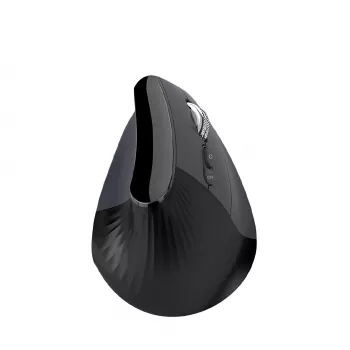
What is the DPI button on the ergonomic mouse?
The DPI button on an ergonomic mouse is a shortcut for changing how fast your cursor moves on screen. DPI stands for “dots per inch,” and higher DPI settings make the cursor travel farther with less hand movement, while lower DPI settings slow it down for steadier control.
How the DPI button works
On most ergonomic and vertical mice, pressing the DPI button cycles through preset sensitivity levels (for example: low, medium, high). Some models indicate the current level with a small light or color change, while others may require testing the feel as you switch.
Why you’d use it
The DPI button is useful because the “right” cursor speed changes depending on what you’re doing and what screen you’re using:
- Precision tasks: Lower DPI can help with detailed work like photo editing, spreadsheets, or careful selections.
- Large or multiple monitors: Higher DPI can reduce repetitive arm movement by letting you cross the screen quickly.
- Mixed workloads: Tapping the button lets you adapt on the fly without digging into system settings.
Where it is and what it looks like
The DPI button is commonly placed behind the scroll wheel or near the top of the mouse where it’s easy to reach with your index finger. On some ergonomic designs, it may be slightly recessed to prevent accidental presses, especially when you’re using a relaxed grip.
Quick tip for choosing a comfortable setting
A practical approach is to start at a medium setting and adjust until you can move across your screen without “overshooting” targets. If you notice frequent corrections, try lowering DPI; if you feel like you’re dragging the mouse too far, raise it.
For a deeper look at DPI control and how it pairs with scroll and speed features on vertical wireless mice, visit this guide to speed rollers and DPI control.
FAQ
Does higher DPI always mean better performance?
No. Higher DPI mainly increases cursor sensitivity; the best setting is the one that feels accurate and comfortable for your hand, tasks, and screen size.















Leave a comment