1080P Mini Smart Projector Guide: Setup, Picture, Sound
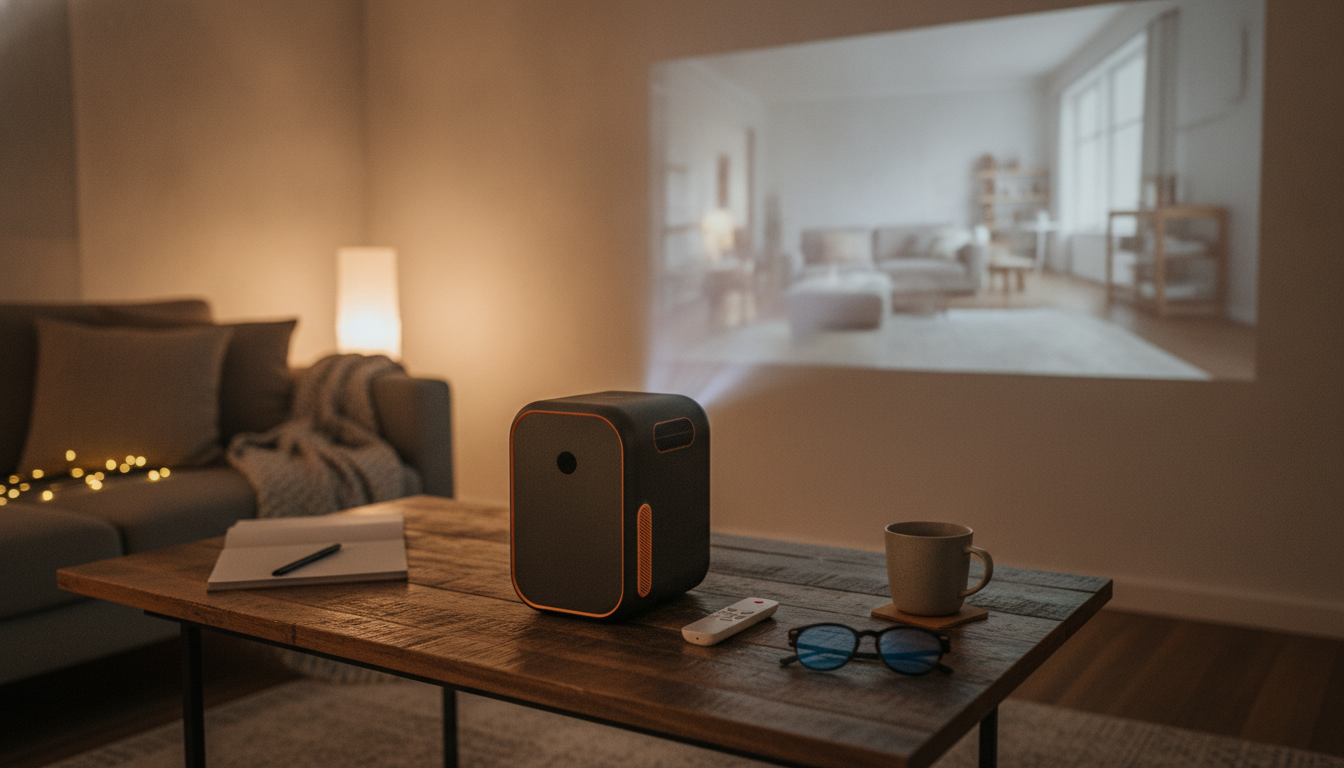
A compact projector can turn a blank wall into a big-screen setup for movies, sports, and casual gaming—without dedicating space to a full TV. This guide covers what to expect from a 1080P Full HD mini home cinema projector with smart features, how to set it up for a sharp picture and clear sound, and what details matter most before buying.
What a mini home cinema projector setup looks like day to day
Mini projectors fit best where flexibility matters: bedrooms, apartments, dorms, and multipurpose living rooms where the “screen” disappears when you’re done. Instead of a permanent TV wall, you can set up for movie night, pack it away for guests, then bring it back out for cartoons, streaming series, photo slideshows, or occasional console gaming.
“Mini” also changes the routine. The projector is easier to place on a shelf or tripod, simpler to store, and faster to deploy for temporary viewing. A stable surface helps—many shoppers use a small table as a quick-and-clean stand, such as a Minimalist Acrylic Side Table, especially in tight rooms where a full media console won’t fit.
Smart features can reduce extra boxes. Depending on app support, built-in streaming options and wireless connections may let you skip a separate media player. Still, it’s best to set expectations early: projectors look most impressive with controlled lighting, and wall paint/texture can noticeably affect the “snap” of the image.
Picture quality basics: 1080P Full HD and what affects sharpness
1080P Full HD means a native image grid of 1920 × 1080 pixels. Source quality matters (a clean 1080P stream usually beats a low-bitrate one), but the projector’s native resolution is the foundation of detail.
Perceived clarity depends on more than the spec sheet. Focus uniformity, lens quality, screen size, and viewing distance can make 1080P look crisp or slightly soft. If you enlarge the image to a very big size, you also magnify imperfections—so right-sizing the picture for the room often delivers a cleaner, more “high-end” look.
If you play a 4K stream, many devices output a downscaled 1080P signal to match the projector. Results vary by the streaming device and the projector’s processing. For sports and action, motion handling is mostly about stable decoding and consistent frame delivery; if playback looks jittery, double-check output settings on the source device. For deeper background on motion-imaging terminology and standards, SMPTE is a useful reference: SMPTE Standards.
Quick guide to a cleaner-looking image
| Factor | What to aim for | Why it matters |
|---|---|---|
| Room lighting | Dim or darkened room | Projectors look richer and more contrasty with less ambient light |
| Projection surface | Smooth wall or dedicated screen | Texture and uneven paint soften details and reduce uniformity |
| Placement | Centered and level when possible | Reduces reliance on digital correction and keeps edges sharper |
| Focus check | Re-focus after resizing | Changing size/throw can slightly shift focus needs |
| Source quality | 1080P stream or Blu-ray-quality file | Low-bitrate video can look noisy even on a good projector |
Smart features that make streaming and sharing easier
Smart projectors typically support either built-in apps, casting/mirroring, or both. Built-in apps can feel “TV-like,” while casting depends on your phone OS, app restrictions (some apps limit mirroring), and your home network. A solid 5 GHz Wi‑Fi connection (when supported) can reduce buffering and improve responsiveness.
Bluetooth adds convenience for audio: pairing a soundbar or headphones can be faster than routing long cables across the room. Just note that Bluetooth latency varies by device—great for casual watching, but for dialogue-heavy movies or games, a wired option (when available) often stays best synchronized.
Ports still matter even with smart features. HDMI remains the most reliable path for consistent video and audio, while USB can be handy for local files and photos. If you want a better understanding of HDMI capabilities and compatibility, see: HDMI Specification Overview.
Finally, smart features work best with ongoing firmware support. When a product page provides compliance identifiers, the FCC database can be a helpful reference for U.S. equipment authorization details: FCC Equipment Authorization.
Sound options: built-in speakers vs. external audio
Built-in speakers are convenient for quick viewing, especially in smaller bedrooms. For larger rooms, action movies, or anything with heavy bass, external audio usually makes the experience feel dramatically more “cinema.”
Setup checklist for a bright, straight, comfortable picture
If you’ll use HDMI, choose a solid cable and route it where it won’t be tugged accidentally. For living rooms, a stable surface can double as a neat “projection station,” and a coffee table can work well when it’s positioned squarely to the wall—some setups use a statement piece like a Modern Gold Stainless Steel Coffee Table as the center point for occasional movie nights.
Product snapshot and buying notes
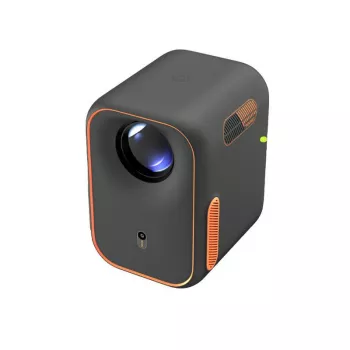
If you’re shopping specifically for a compact, living-room-friendly model, the 1080P Full HD Mini Home Cinema Projector with Smart Features is designed for big-screen viewing without a permanent TV footprint.
At-a-glance purchase checklist
| Item to check | Why it matters | What to look for |
|---|---|---|
| Native resolution | Determines true detail | 1920 × 1080 for Full HD |
| Connectivity | Controls what you can plug in | HDMI for streaming sticks/consoles; USB for local media |
| Wireless features | Enables casting and wireless audio | Wi‑Fi for streaming; Bluetooth for speakers/headphones |
| Image adjustment | Simplifies placement | Focus + keystone options; confirm how adjustments are controlled |
| Return/support | Reduces risk | Clear warranty/return terms and update path for smart features |
FAQ
What is the resolution of Full HD in P?
Full HD (1080P) refers to a resolution of 1920 × 1080 pixels. The “P” means progressive scan, where each frame is drawn in full rather than interlaced.















Leave a comment